
Keep UZTT in the booking.
Our VA uses UZTT. The scenery title retains UTTT. Tashkent-Vostochny / UZTP is a different airport. Compare the references rather than substituting an airport because a search returns it.
DESTINATION DOSSIER / OUR HOME AIRPORT / 30 OCT 2026
A place to return to, and a setup worth understanding. Start with our flight, choose your scenery and prepare the airport behind the view.
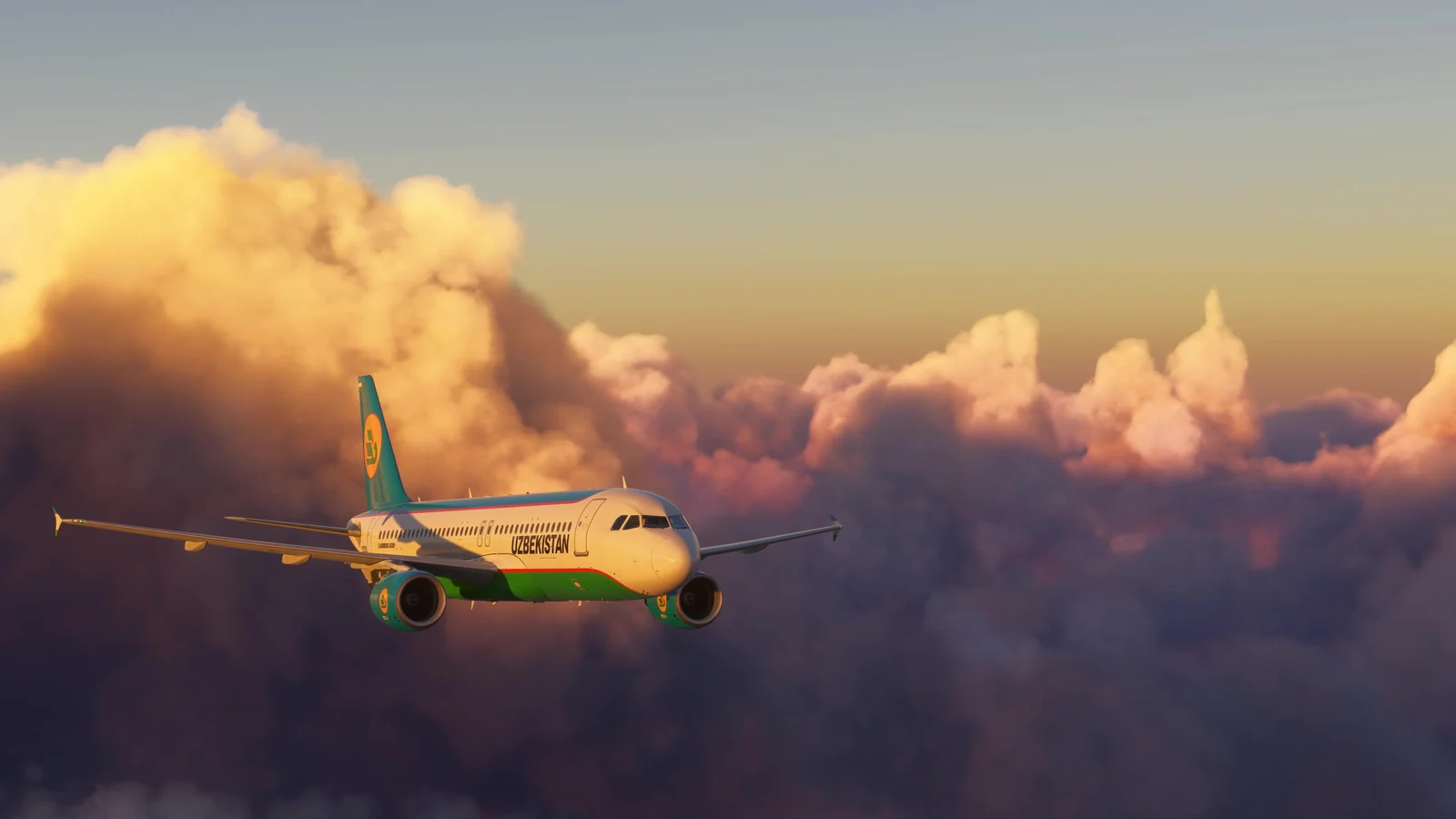
Authentic MSFS 2024 footage. This frame is from the flight between Samarkand and Tashkent, not a review of the current airport package.
FROM OUR OWN FLIGHT DECK
Our A320 flight chapter follows the light between Samarkand and Tashkent, with exterior views and a return to the cockpit. It is an existing, public VA film with its original recorded audio. Aircraft and scenery builds are not established by the footage.
Choosing to load this optional player connects to Google / YouTube and may allow their storage and data processing. Continue reading without it if you prefer. See Privacy & measurement. Use the native play button to start; nothing plays automatically.
ANOTHER LIGHT / ANOTHER ARRIVAL
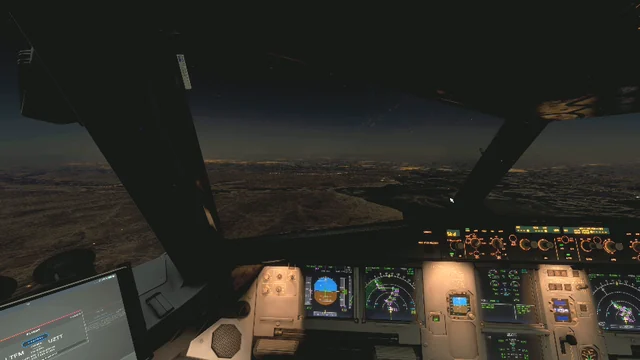
A 43-second view from our archive, offered as a second perspective rather than evidence of a particular scenery build.
Watch the night descent ↗CHOOSE THE AIRPORT / CHECK THE EVIDENCE
The verified commercial listing is Middle Asia Developers’ Tashkent Int Airport UTTT. Version 2.0 is listed for MSFS 2020 and MSFS 2024, available since 5 August 2025, delivered through the simMarket app. These are store declarations, not a new VA compatibility test.
| Airport | Product & developer | Version / simulator | Checked on | Source | Test state / limits |
|---|---|---|---|---|---|
| TashkentUZTT | Tashkent Int Airport UTTT Middle Asia DevelopersPaid; simMarket app delivery | 2.0MSFS 2020 / MSFS 2024 Developer-declared | 2026-10-30 | Creator / authorised store ↗ | Developer-declared support; locally modified installation documented separately Product title retains UTTT. Installed build and local changes must be recorded; no new visual or FPS test. |
No free Tashkent replacement is recommended without a reliable creator source and a checked licence. The airport supplied by your simulator remains a baseline to inspect, not a reviewed download in this dossier.
ONE AIRPORT / SEVERAL OPERATIONAL LAYERS
Our VA uses UZTT. The scenery title retains UTTT. Tashkent-Vostochny / UZTP is a different airport. Compare the references rather than substituting an airport because a search returns it.
Check current navigation data, runway, weather, fuel, alternate and published approach / missed approach. An airport lookup is not proof of complete procedures or ground guidance.
Match the GSX profile to the installed scenery and aircraft. A company planning preference, a GSX position and an ATC stand allocation are different sources. Keep a missing allocation pending.
THE SETUP BEHIND THE DOSSIER
| Product / developer | Version / date | MSFS / official source | Evidence and known limits |
|---|---|---|---|
| Fenix A320 CEO / Fenix Simulations | V3 documentation; exact installed build not captured. 30 Oct 2026. | MSFS 2020 / 2024, developer documentation. Fenix navdata guide ↗ | Documentation reviewed; this film does not prove a V3 test. Match the booked CEO / NEO variant. |
| FSHud / FSHud | 2.1.206 / FileVersion 2.1.206.0 in 29 Oct audit. Current installed build: recheck. | Local MSFS 2024 record. FSHud traffic documentation ↗ | Local scenery diagnosis and owner-confirmed result. Final AIG import / refresh sequence is not documented; no universal fix is claimed. |
| AI Manager / Alpha India Group | Installed build not captured. Retained local Manual 1.4 reviewed in the 29 Oct report. | MSFS 2024 traffic-plan source. AIG official resource ↗ | 68 archives prepared offline; 1,576 Tashkent legs aligned. Report says NOT INSTALLED. No post-import AI acceptance test in that report. |
| GSX Pro / FSDreamTeam | Exact installed build not verified. 30 Oct 2026 source check. | MSFS 2020 / 2024 declared by developer. GSX Pro official product ↗ | Service role and source reviewed. Airport / aircraft profile fit and pushback clearances need local observation. |
| UZB Ops / Uzbekistan Airways Virtual | 0.6.2 public beta; release 27 Oct 2026. Review 30 Oct 2026. | Published Windows companion for the VA setup. Current release record → | Package/document evidence. Live consecutive sectors and aircraft reception require acceptance; the companion does not reserve a stand or replace Pegasus. |
COMPANY LAB / A DATED LOCAL RESULT
For another setup, compare the booking, airport package, active navdata and AI source separately; retain reversible originals and check each application’s supported method. AI traffic plans are distinct from your own SimBrief OFP. No modified payware BGL, traffic archive or unqualified cache-reset procedure is distributed here.
YOUR PC / A SMALL ACCEPTANCE RECORD
There is no new FPS, lighting or whole-stack verdict in this dossier. Before calling the current setup tested, use the short card below on the simulator PC. Do not install prepared traffic files or alter application databases as part of this check.
SOURCES / INDEPENDENT EDITORIAL USE
Product pages were rechecked on 30 October 2026. Historical local evidence: the 27 October scenery work (audit dated 28 October), the 29 October AIG offline report and the owner’s 30 October confirmation. Private PC paths and modified commercial files are not published.
Middle Asia Developers / simMarket ↗ · Uzbekistan AIS ↗ · FSHud traffic guide ↗
This free dossier contains no paid placement, affiliate link or offer to sell scenery. Our own footage is used as editorial context; third-party product names and liveries do not imply endorsement. We do not grant rights to reuse third-party assets in advertising.
Microsoft Flight Simulator 2024 © Microsoft Corporation. “Tashkent. Before your next arrival.” was created under Microsoft’s Game Content Usage Rules using assets from Microsoft Flight Simulator 2024, and is not endorsed by or affiliated with Microsoft. Other rights remain with their respective owners.