
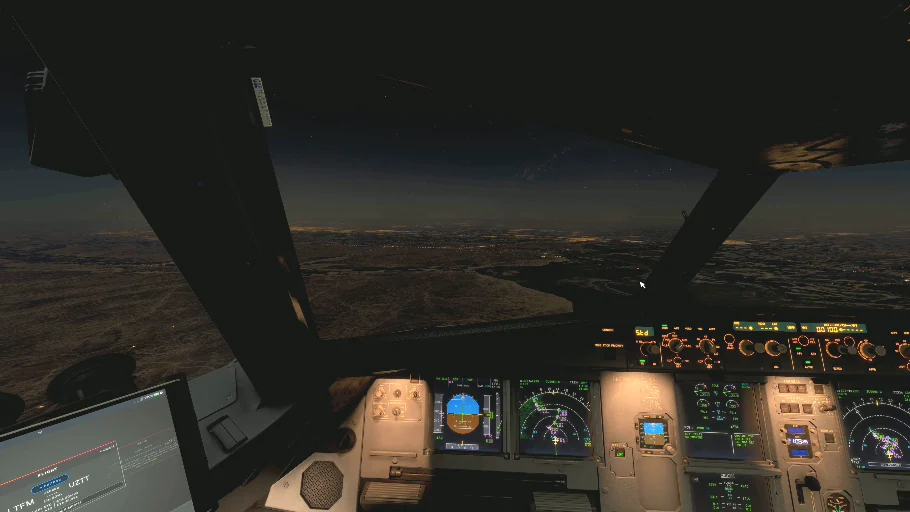
UZB7414 / PILOT RESOURCES
Know your hub. Fly the rotation.
Five VA hubs, runway and identifier references, ground preparation, parking, turnarounds and simulator compatibility.
Five configured VA hubs · Briefing revision 30 October 2026
Prepare the airport you will actually use: scenery, aircraft, ground services and your next sector. These are our virtual-airline hub guides; a configured VA hub does not imply a real-airline crew base.
Choose your hubBefore departureArrival & parkingNext rotationSimulator setup
Briefing, not live status. Runway-in-use, weather, NOTAMs, stand occupancy and installed add-ons are not read by this page. Obtain current flight information and use the matching aircraft procedures. Each airport below links to its source material.
Choose your hub
UZTT / TAS
Tashkent
Parallel-runway and identifier briefing
Published runway identifiers: 08L/26R · 08R/26L
Open station briefing →
Legacy scenery code: UTTTUZSB / BHK
Bukhara
Turnaround and turning-bay briefing
Published runway identifiers: 01/19
Open station briefing →
Legacy scenery code: UTSBUZNN / NCU
Nukus
Aircraft fit and ground-movement briefing
Published runway identifiers: 15/33
Open station briefing →
Legacy scenery code: UTNNUZSS / SKD
Samarkand
Approach and declared-distance briefing
Published runway identifiers: 09/27
Open station briefing →
Legacy scenery code: UTSSUZNU / UGC
Urgench
Runway-end and regional-rotation briefing
Published runway identifiers: 13/31
Open station briefing →
Legacy scenery code: UTNU
Before departure · a briefing for this flight
- Match the sector: booking, callsign, registration, engine/wing variant, cabin and operating category. Keep passenger, regional, cargo and heritage requirements distinct.
- Match the airport: compare the actual location and runways in the scenery, navigation data, SimBrief, GSX and ATC application. An old ICAO label alone does not identify the cause of a fault.
- Read the conditions you simulate: compare simulator date/time and weather mode with the OFP, METAR/TAF and ATIS. If using historical or preset weather, a live METAR describes a different time or condition.
- Complete the aircraft preparation: fuel/reserves, payload, mass and balance, performance for the actual runway and entry, departure, expected arrival and missed approach. Check the chart effective date and AIRAC.
- Prepare the ground operation: choose an aircraft-compatible stand from the matching airport layout; check doors, stopping position, passenger access, pushback and service-vehicle clearance. Read route Remarks and activity conditions.
Use the current Operations Guide for tracking, scoring and PIREP requirements. This hub guide adds preparation prompts; it does not create extra scoring rules.
Tashkent International Airport · UZTT / TAS
The main company hub
Match the airport in the scenery, navigation database, ATC software and SimBrief before dispatch. Some installed products still use UTTT. Keep the booked VA airport and confirm that all systems refer to the same physical aerodrome; do not apply a global identifier rename as an untested workaround. Aircraft-matching example: UK32019 uses a Fenix A320ceo CFM with wingtip fences, without Sharklets. Always match the engine, wing variant, cabin and registration in your own booking.
Station focus · parallel runways, two operating areas
Airport reference. Identify 08L/26R versus 08R/26L positively. The published chart catalogue contains different C and M approach variants; match the full procedure name, runway, chart and loaded FMS procedure before taking minima from it.
Arrival and parking. Open both the airport diagram and the relevant parking chart, including Tashkent 3 where applicable. Match the booked operation to the terminal/apron context and then to the scenery. A domestic/international label alone does not guarantee a particular gate.
Simulator compatibility. UTTT/UZTT reconciliation may involve the scenery airport record, navigation data and AIG schedule endpoints separately. A correctly displayed airport does not prove that an AI schedule resolves to it. Use a version-specific, documented setup; record a successful in-simulator test before describing a fix as compatible.
Aircraft match. The UK32019 example above is a Fenix A320ceo CFM with wingtip fences. For another registration, use that booking’s configuration rather than inheriting its passenger load or stand.
Charts & parking catalogueTashkent compatibility guide
Open Uzbekistan AIS: airport data, charts and NOTAM publications
Find scenery →Back to hub directory
Bukhara International Airport · UZSB / BHK
Bukhara rotations
Short sectors need the same departure, descent and missed-approach preparation as a longer flight. Confirm the exact aircraft, payload and landing mass before leaving the previous station. Read the route’s ground-operations note and reconcile its stand guidance with the installed airport and any controller or GSX instruction.
Station focus · RWY 01/19 and the ground turn
Published familiarisation reference. AD2 UZSB-10, dated 2 October 2025, describes use of the marked turning bay for a 180° turn on RWY 19. It also lists follow-me requirements for B777-200/A330-200 and separate ground restrictions for B747-400/AN-124-100. Reconfirm the effective text before applying those aircraft-specific restrictions.
In the simulator. Compare the turning bay and stand layout with your scenery before accepting a ground route. If the scenery cannot reproduce a published manoeuvre, resolve the route with the controller or use a supported simulation alternative; a GSX pushback path is not taxi clearance.
Short-sector flow. Prepare the arrival before departure when workload permits. Recalculate landing mass and performance; retain the same full missed-approach briefing as on a long sector.
Local rules · dated referenceAerodrome-chart reference
Open Uzbekistan AIS: airport data, charts and NOTAM publications
Find scenery →Back to hub directory
Nukus International Airport · UZNN / NCU
Nukus and the western network
When flying the Express Steppe curated roster, use its assigned UK32011 and the Express cabin shown in dispatch. The current VA Express fleet has 174 seats, while the mainline A320ceo fleet has 150; these are different configurations. For any other flight, use the aircraft offered by that booking and check weather, fuel and alternate suitability for the actual conditions.
Station focus · RWY 15/33 and aircraft fit
Published familiarisation reference. The 2 October 2025 aerodrome chart depicts RWY 15/33 and taxiways with different widths; TWY D is listed at 14 m. Check the effective movement/stand chart for your aircraft and route rather than treating every visible paved link as interchangeable.
Parking and services. Match wingspan, stopping position and service clearance in the loaded scenery. Choose bus, stairs or jetway from what is modelled and supported by the matching GSX profile. No numbered stand is validated by this briefing.
Next sector. Reconcile the actual cabin/payload with the booking. The Express Steppe configuration described above is specific to that activity; it is not the default for every Nukus flight.
Aerodrome chart · dated referencePrepare the next sector
Open Uzbekistan AIS: airport data, charts and NOTAM publications
Find scenery →Back to hub directory
Samarkand International Airport · UZSS / SKD
Samarkand operations
Check whether the selected route is a current VA service, heritage reconstruction or activity sector. Their labels and eligibility are distinct. For Focus Airport participation, read the current activity card before dispatch and verify the required fleet, registration and qualifying times. A flight to the same airport does not by itself establish a reward.
Station focus · RWY 09/27 and usable distance
Published familiarisation reference. The aerodrome chart dated 27 November 2025 distinguishes declared distances by runway direction and intersection. Use the effective TORA/LDA for your actual departure entry and landing threshold; the overall pavement length is insufficient for a performance calculation.
Approach and arrival. Identify the intended runway surface, threshold and full approach variant using the current chart and scenery. Review any current works or closure notices before planning the taxi route. An older scenery layout can differ from the published airport.
At the stand. Confirm ground-service access and the stopping point against your GSX profile. Keep Focus Airport/event eligibility separate from the normal arrival and parking process.
Aerodrome chart · dated referenceArrival flow
Open Uzbekistan AIS: airport data, charts and NOTAM publications
Find scenery →Back to hub directory
Urgench International Airport · UZNU / UGC
Urgench and Silk Road sectors
For a Silk Road Sundays flight, follow the event’s exact direction, fleet and UTC eligibility window. Register first when the activity requires registration. For regional services, use the booked turboprop model and its own performance, reserve and engine/propeller procedures; do not use an A320 planning profile as a substitute.
Station focus · RWY 13/31 and regional rotations
Chart preparation. The official AIS index lists RWY 13/31 procedures, including different Y/Z ILS variants for RWY 31 and RNP procedures. Select the exact runway end and full procedure designation; verify the current chart’s equipment, minima and missed approach.
Ground operation. Read the aerodrome, parking and stands-data charts together. Reconcile the stand with the aircraft and scenery, then set the passenger-access method from the services actually available. A regional aircraft does not inherit an A320 parking or service profile.
Turnaround. Use the booked turboprop’s own propeller/engine procedures and service clearances. For Silk Road Sundays, complete the normal operational preparation and then check the separate event direction, fleet and UTC window.
Official charts & stands dataRegional turnaround flow
Open Uzbekistan AIS: airport data, charts and NOTAM publications
Find scenery →Back to hub directory
Arrival & parking · keep one coherent assignment
- Before descent: refresh runway/approach expectations from the ATIS/controller and weather you simulate. Brief the full approach and missed approach. Treat a wind-based runway suggestion as an expectation until confirmed.
- Before taxi-in: identify the assigned stand on both chart and scenery. Compare the GSX name, aircraft size and actual stopping point. If the assignment is unsuitable, request or select an appropriate alternative and reconcile the services with that choice.
- At parking: follow the aircraft’s securing flow. Check the selected ground-service provider, passenger route, GPU and jetway/steps. If two add-ons manage the same equipment, choose one supported owner to prevent duplicate operations.
- Record what you know: a controller assignment, an observed simulator stand and a VA preference have different bases. An unseen or unreported stand remains of unknown occupancy.
Next rotation · continue the session deliberately
01 · Close the flown sector
Finish the aircraft and ground flow. Complete the flown sector’s tracker/PIREP process before replacing its flight context. Retain the actual aircraft/fuel state when continuing the same airframe.
02 · Confirm the next flight
Make the next booking and generate a fresh OFP. Check callsign, departure/destination, aircraft, OFP generation time and date. A new route in SimBrief is not proof that every running application has loaded it.
03 · Reload and reconcile
Use the application’s supported end/reset/load process. UZB Ops 0.5.1 documents an OFP lock during monitoring: finish/reset the old context before loading the next one, then verify the displayed sector. This is a preparation step, not a certified fix for every multi-leg issue.
04 · Release for departure
Reconcile fuel, payload, performance, EFB/ATC/ground services and tracker for the new sector. Keep arrival messages disarmed until the destination/callsign and flight context are correct.
Timing. Build the turnaround from the aircraft, stand and services actually used. Follow the critical sequence of deboarding, servicing, loading and boarding rather than imposing an unsupported airline minimum. Any VA exercise target must be labelled separately from observed service time.
If the next sector is still missing: record the app versions, old/new route, OFP generation time and displayed status for Pilot Support. Avoid replacing the active airborne sector with a newly generated OFP.
Simulator setup · verify the whole combination
Airport & scenery
Record MSFS version, airport developer/product/version, ICAO shown and runway/stand layout. Check that only the intended airport package is active. A Marketplace listing or a successful load is not an end-to-end test.
GSX & ground services
Use the profile for the exact scenery/version and aircraft. Check stopping position, passenger path, pushback and GPU ownership. Retest affected gates after a scenery/profile update.
ATC & traffic
Record the ATC application/version and the traffic source you use. Keep airport-code resolution, AI parking logic and player stand selection distinct. Validate a departure and an arrival before claiming full compatibility.
Weather & time
State whether conditions are live, historical or preset and compare the simulator clock with the OFP. UZB Ops weather retained from an OFP is a snapshot. Verify the local/UTC date across midnight.
Compatibility status. This revision publishes briefing content and a manual verification flow. It does not install profiles, scan the PC, control GSX/FSHud or reserve gates. A numbered stand stays pending until aircraft fit, scenery mapping and restrictions have been checked.
First visit · five-minute familiarisation
- Open the aerodrome and parking charts; locate your runway and intended apron.
- Compare the chart with the installed scenery and GSX stand labels.
- Read this hub’s specific threat/ground note and select the exact approach variant.
- Review the missed approach and an alternate appropriate to the actual flight.
- After arrival, note any layout/profile discrepancy and the versions needed to reproduce it.
Scenery directoryUzbekistan SpecificsPilot Support
Sources & document currency
Source check: 30 October 2026. The official AIS index lists AIRAC AMDT 05/26 effective 29 October 2026. Individual dated chart references above are for familiarisation; the review date does not make an older page the effective current procedure. Obtain current AIP amendments and a flight-specific NOTAM briefing.
The official AIS index provides aerodrome, parking, stands, local regulations and instrument-procedure publications. Navigraph references open the provider’s chart catalogue and require the appropriate access for chart use. No commercial chart files are reproduced here.
The five hub codes and legacy aliases follow the existing VA configuration. Hub guides are authored as VA familiarisation content; they do not certify airport or add-on compatibility. The airport-specific source links show publication dates where available.
Getting StartedOperations GuideDestinations & SceneryPilot Support
UZBEKISTAN AIRWAYS VIRTUAL
From Tashkent to the world. · Independent flight simulation community. · Revision HUB-2026.10.30